


 Log In






Send Teams channel messages for new or updated Knack records
- Features & Benefits
- AI Powered App-Building

Build apps in minutes with AI
- Security and Infrastructure

Protect and control your data
- No-Code Database

Manage and connect your data
- Integrations

Connect tools and sync workflows
- Reports

Track and visualize performance
- User Access

Manage roles and permissions
- E-commerce

Run and automate online sales
- Front-End Experience

Customize your user interface
- Workflows

Streamline operations with automations
- Forms
Collect and manage data easily
- AI Powered App-Building
- Dive into Knack
- App Templates

Start fast with pre-built app templates
- Blog

Read insights and practical tips
- Case Studies

See how others use Knack
- Videos

Watch tutorials and user stories
- Glossary

Look up common no-code terms
- App Templates
- Additional Resources
- Compare Knack

See how Knack stacks up
- Hire an Expert Builder

Get hired to build or expand apps
- Help Center

Learn how to set up your app
- Developer Docs

Access technical guides and documents
- Community Forum

Connect with other Knack builders
- Compare Knack
- Partner Programs
- Become An Affiliate

Earn revenue by referring Knack
- Become an Expert Builder

Get hired to build apps
- Agency Program

Resell Knack to your clients
- Become An Affiliate
Integrate Knack with Microsoft Teams
How Knack Flows Works
Connect Microsoft Teams with Knack using Flows to automate team workflows, streamline communication, and sync data between your MS Teams workspace and your Knack apps. This integration lets you automatically send Teams notifications and updates in Knack, trigger Knack actions from Teams activity, and orchestrate multi-step workflows across your organization. Create real-time alerts, update records, assign tasks, route approvals, and track activity — all within your custom Knack portal and backed by your Teams environment.

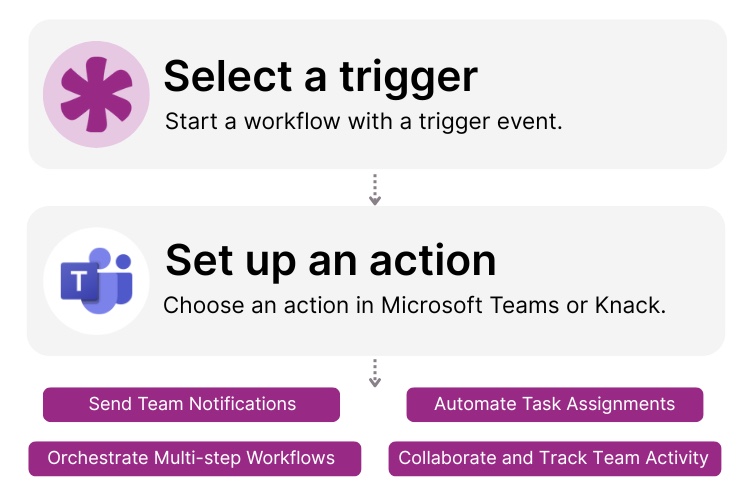
Step 1: Select a Trigger
A trigger is an event in your automation that starts your Flow. You can choose triggers from either platform. For example, you might select “New Record in Knack,” “Updated Form Submission,” or a Teams event such as “New Channel Message Posted.” Knack monitors Teams for selected triggers, and Teams can respond to Knack events as well.

Step 2: Set up an Action in Knack
Once a Trigger has occurred, actions execute the tasks within your Flow. Actions in Knack might include creating or updating records, sending notifications, or routing data. Actions in Teams may post channel messages, send direct alerts, update tabs, or trigger workflows. A Flow can include one action or a full sequence with filters, conditions, or branching logic. For example, you might “Send Teams Message” when a new Knack form is submitted or “Create Knack Record” when a Teams message includes a specific keyword.
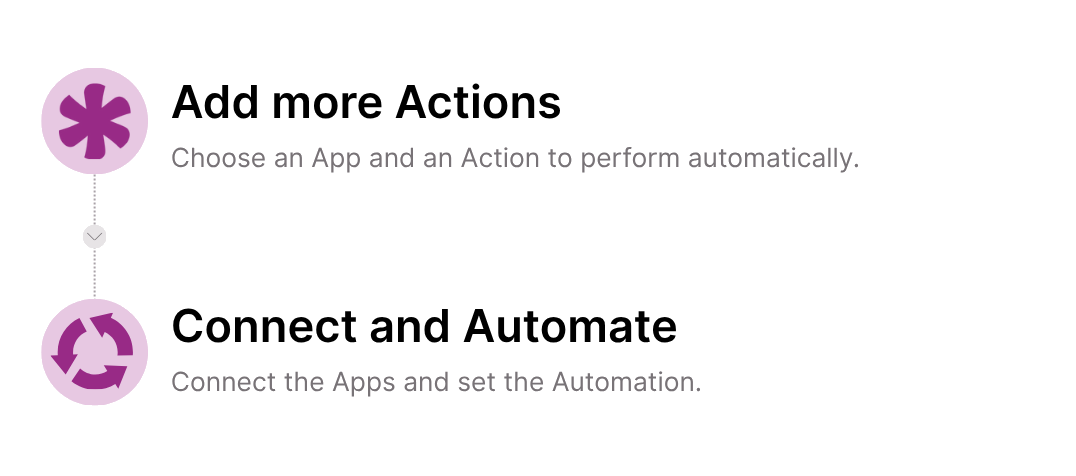
Title Step 3: Connect and Automate
When your Knack Flow is ready, you can expand it with additional steps or run it immediately. Your Teams and Knack apps are now seamlessly connected. Automate notifications, trigger cross-team workflows, sync data updates, assign tasks, and centralize collaboration driven by activity between Teams and Knack.
Popular Knack + Microsoft Teams Automations
Integrate Knack and Microsoft Teams using pre-built templates or custom Flows to streamline communication and keep everyone aligned in real time.
Top Use Cases for Integrating Knack with Microsoft Teams

Real-Time Notifications & Alerts
Send instant Teams messages when important Knack events occur, such as new leads, updated records, submitted forms, or workflow changes.

Collaboration-Driven Workflows
Trigger Knack actions from Teams messages or events. Convert channel posts, keywords, or file uploads into Knack records or updates.

Multi-Step Approvals & Task Routing
Automate approval processes using Teams messages that update workflows in Knack, assign new tasks, or notify key team members.

Activity Logging & Centralized Reporting
Sync Teams activity, such as messages, tasks, mentions, or file actions, into Knack dashboards to track engagement, collaboration, and productivity.
Triggers and Actions
Knack Flows help you automate workflows by connecting your data and actions. A trigger starts a workflow, and an action executes a task based on the trigger.
About Microsoft Teams
Microsoft Teams is a leading collaboration and communication platform used by businesses, schools, and organizations worldwide. It brings together chat, video meetings, file sharing, team channels, and workflow automation in one unified workspace. With integrations across the Microsoft 365 ecosystem and thousands of third-party apps, Teams helps groups stay connected and productive. From real-time messaging to task management and remote collaboration, Teams provides a centralized hub for communication and teamwork.
Find Inspiration on the Knack Blog

10 No-Code Apps for Security and Compliance Teams
In today’s ever-evolving landscape of security threats and regulatory requirements,...
Read
More
7 Knack Apps for SMB Owners
As a small or medium-sized business leader, you constantly juggle...
Read
More
8 Knack Integrations to Supercharge Your Project Management
Knack project management functionality can supercharge all your other project...
Read
More