


 Log In






Add new Asana tasks to Knack records
- Features & Benefits
- AI Powered App-Building

Build apps in minutes with AI
- Security and Infrastructure

Protect and control your data
- No-Code Database

Manage and connect your data
- Integrations

Connect tools and sync workflows
- Reports

Track and visualize performance
- User Access

Manage roles and permissions
- E-commerce

Run and automate online sales
- Front-End Experience

Customize your user interface
- Workflows

Streamline operations with automations
- Forms

Collect and manage data easily
- AI Powered App-Building
- Dive into Knack
- App Templates

Start fast with pre-built app templates
- Blog

Read insights and practical tips
- Case Studies

See how others use Knack
- Videos

Watch tutorials and user stories
- Glossary

Look up common no-code terms
- App Templates
- Additional Resources
- Compare Knack

See how Knack stacks up
- Hire an Expert Builder

Get hired to build or expand apps
- Help Center

Learn how to set up your app
- Developer Docs

Access technical guides and documents
- Community Forum

Connect with other Knack builders
- Compare Knack
- Partner Programs
- Become An Affiliate

Earn revenue by referring Knack
- Become an Expert Builder

Get hired to build apps
- Agency Program

Resell Knack to your clients
- Become An Affiliate
Integrate Knack with Asana
Connect Asana and Knack to automate project management workflows, synchronize tasks, and keep your teams aligned in real time. With Knack Flows, you can instantly log new projects, tasks, comments, and updates from Asana directly into your Knack app. No manual updates are required. Build custom dashboards that display project progress, assign tasks automatically, and keep every stakeholder informed. From resource planning to status tracking, the Asana + Knack integration gives you a unified workspace for smarter, AI-powered project management.

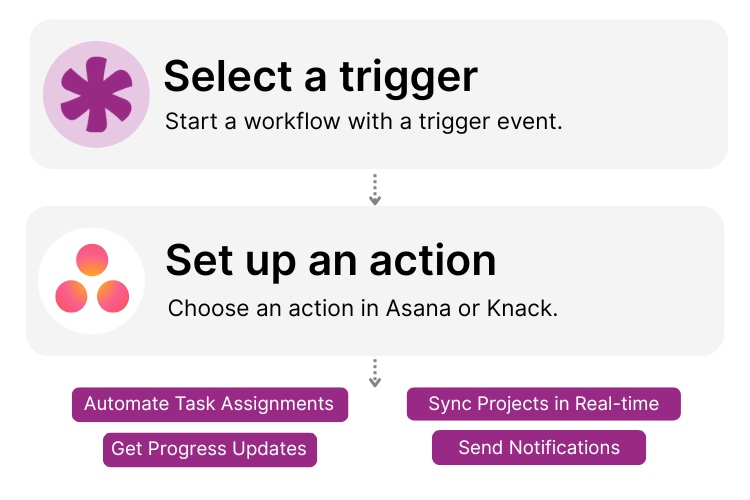
Step 1: Select a Trigger
A trigger is an event in your automation that starts your Flow. You can select a trigger event in Asana that will initiate your workflow. For example, you might choose “New Task” or “Task Status Updated” as the trigger. Knack monitors Asana for the selected trigger.

Step 2: Set up an Action in Knack
Once a Trigger has occurred, actions execute the tasks within your Flow. For example in Knack it could be: “Send notification.” You can determine what happens in Knack once the Asana trigger is activated. A Flow can contain one action, a sequence of custom actions, actions based on rules or conditions, and more. For example, you could set up an action to “Update existing record” in Knack when a new task is created related to a client file or employee’s project list.
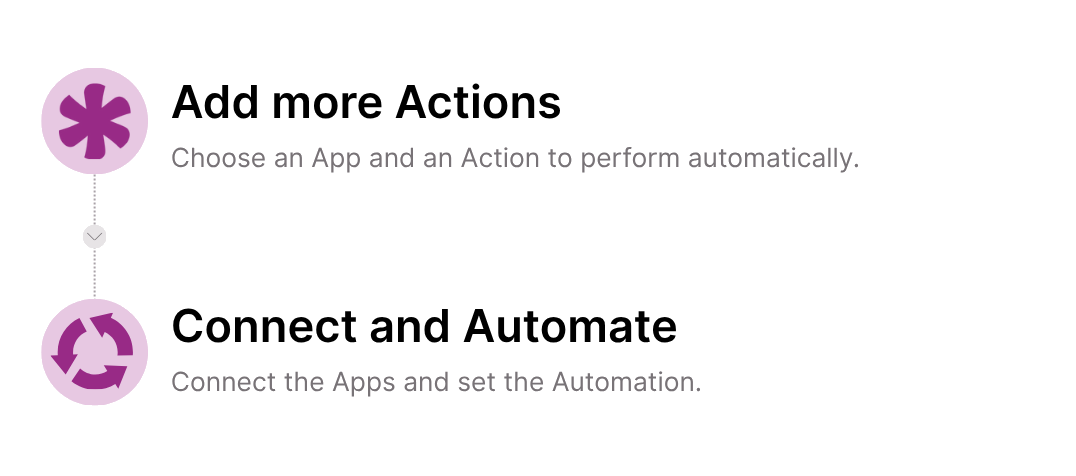
Step 3: Connect and Automate
When your Knack Flow is ready, you can add more actions or start running it right away. Your Asana and Knack apps are now seamlessly connected. Create a new record in your Knack app every time a task status changes in Asana, manage how those changes affect project management jobs and more right from your Knack app.
Popular Knack + Asana Automations
Streamline collaboration and project tracking with pre-built workflows. Save time while ensuring your data stays consistent and up to date.
Top Use Cases for Integrating Knack with Asana

Task & Project Sync
Automatically sync tasks and projects between Asana and Knack to maintain a single source of truth for your team’s work.

Status & Progress Tracking
Monitor task status, completion rates, and project milestones directly within Knack dashboards powered by Asana updates.

Automated Task Assignment
Use Knack’s AI automation to assign Asana tasks based on form submissions, project triggers, or data changes in your Knack app.

Collaboration & Notifications
Centralize communication by logging Asana comments and updates in Knack to keep everyone informed without switching platforms.
Triggers and Actions
Knack Flows help you automate workflows by connecting your data and actions. A Trigger starts a workflow, and an Action executes a task based on the Trigger.
About Asana
Asana is a leading project management and collaboration platform that helps teams organize, track, and manage their work. From task lists and project boards to goal tracking and reporting, Asana provides flexible tools for managing workflows across teams and departments. Known for its intuitive interface and integrations with hundreds of apps, Asana enables organizations to improve productivity, transparency, and coordination across all projects.

Asana Integrations vs. Knack Integration (Comparison Guide)
Choosing the right tools to streamline workflows and improve productivity...
Read
More
Airtable vs. Asana vs. Knack (Comparison Guide)
Choosing the right project management or database tool can be...
Read
More
AI for Project Management: Key Benefits and How to Implement AI in Your Projects
Artificial intelligence (AI) for project management is revolutionizing how organizations...
Read
More