



Try Interactive Demo
Introducing Knack 2.0 — Our New AI App Builder and…
No-code database platforms are transforming the way web apps are…
Template Marketplace
Supercharge your Work Order Management by managing work orders, assigning…

HIPAA Compliant Patient Forms: What They Are, What’s Required, and How to Build Them

  • Written By: Knack Marketing
HIPAA Compliant Patient Forms: What They Are, What’s Required, and How to Build Them

In today’s digital age, healthcare organizations face growing challenges in ensuring patient forms comply with HIPAA, especially as most intake and consent forms are now completed online. 

HIPAA-compliant patient forms are designed to securely collect and store protected health information (PHI), helping providers safeguard sensitive data while streamlining administrative processes. Secure digital intake not only protects patient privacy but also improves operational efficiency by reducing manual errors and paperwork. 

With HIPAA-compliant no-code apps like Knack, healthcare providers can quickly build and customize forms tailored to their patients’ unique needs, all while maintaining strict security standards and ensuring that PHI remains private and protected.

Key Takeaways

  • HIPAA-compliant forms must follow strict privacy and security rules to protect PHI.
  • Digital forms streamline intake, reduce administrative errors, and improve patient experience.
  • Essential components include medical history, consents, demographics, and insurance data.
  • Key security features include encryption, access controls, audit logs, and secure storage.
  • Integrations and automation strengthen compliance and improve clinic workflows.
  • Knack provides customizable, HIPAA-ready tools for secure patient form creation and management.

What Are HIPAA Compliant Patient Forms?

HIPAA-compliant patient forms securely capture PHI while meeting the privacy and security standards required by law. These forms are typically accessible through a patient portal, allowing patients to manage their care and submit important health information conveniently. By ensuring data is collected safely, these forms help protect sensitive information and support reliable clinical documentation.

Common use cases include:

  • Patient intake and registration
  • Collection of medical history, clinical details, and consent forms
  • Insurance, billing, and financial responsibility forms
  • Telehealth-specific consents and remote appointment forms
  • Follow-up, referral, and patient communication forms

Key Components to Include in a HIPAA Compliant Patient Form

To make your organization’s patient forms as comprehensive as possible, it’s important to collect information covering every aspect of patient care. This includes details about health history, insurance, and emergency contacts, which helps ensure accurate record-keeping and streamlines the entire care process.

Medical History and Clinical Details

Patient forms should collect information about current medications, allergies, medical conditions, past procedures, and present symptoms. This detailed data supports accurate diagnosis, informed treatment planning, and effective care coordination across healthcare teams. 

For example, knowing a patient’s allergy to a specific medication can prevent dangerous prescriptions and ensure safer, more personalized care during a hospital visit.

By including sections for treatment consent, privacy acknowledgments, and telehealth authorization, forms ensure that patients fully understand and approve how their PHI is collected, stored, and shared. This level of transparency protects both the patient and the healthcare organization. 

Without these components, providers risk legal penalties, breaches of patient trust, and noncompliance with HIPAA regulations.

Insurance and Financial Responsibility Information

Insurer, member ID, policy numbers, co-pay, and deductible details should all be collected on patient forms to support accurate claims processing and minimize billing errors. Including this information helps ensure that insurance claims are processed smoothly and reduces delays or denials. 

For patients without insurance, forms should provide options to indicate self-pay status and capture relevant financial or payment plan information to facilitate proper billing.

3 Easy Ways to Start Building For Free

1. Generate an App with AI
2. Use one of our templates
3. Import your own data
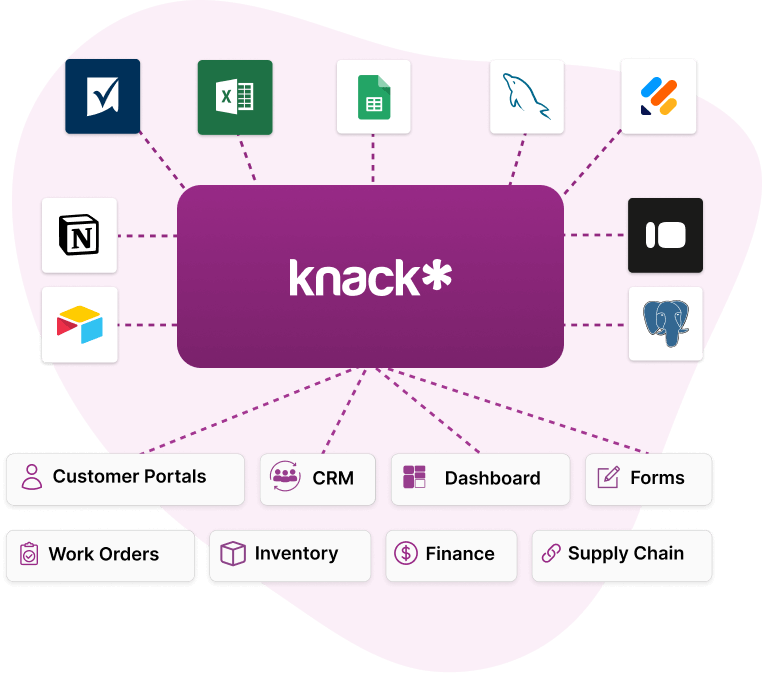
Data Sources into Knack Homepage

Free 14-Day Trial. No Credit Card Required

Patient Demographics Collection

Details such as age, gender identity, race, ethnicity, address, and other demographic information help healthcare organizations deliver more personalized and culturally competent care. This information allows providers to tailor treatment plans, anticipate specific health risks, and address social determinants of health that may impact patient outcomes. It also benefits providers by ensuring accurate patient records and supporting regulatory reporting requirements.

Emergency Contact and Communication Preferences

Healthcare providers must also gather emergency contact details and preferred communication channels (such as phone, email, or SMS) within patient forms to ensure timely, confidential communication and rapid response when needed. This information allows staff to reach the right person quickly during critical moments while respecting the patient’s privacy preferences. 

For instance, if a patient experiences a sudden allergic reaction during a routine visit, having an up-to-date emergency contact enables the care team to immediately notify a family member or designated contact, ensuring quick coordination and emotional support.

HIPAA Rules That Apply to Digital Patient Forms

HIPAA compliance in patient forms is built on three main pillars: privacy, security, and breach notification. Each standard has specific regulatory language, so it’s essential to understand them thoroughly to ensure that digital forms meet every requirement for protecting patient information.

Privacy Rule Requirements

Healthcare providers should always limit data collection in patient forms to only the information truly necessary for treatment or payment. 

To guide your efforts here, it’s important to follow HIPAA’s Minimum Necessary Rule, which states that covered entities must “make reasonable efforts to use, disclose, and request only the minimum amount of protected health information needed to accomplish the intended purpose.” Providers must also ensure that only authorized personnel have access to PHI through strict access controls and role-based permissions. 

Additionally, secure processes—such as encrypted transmission channels and password-protected files—should always be used when transmitting patient information to maintain confidentiality and compliance.

Security Rule Requirements

Encryption is essential for both data at rest and in transit because it ensures that PHI remains unreadable and secure, even if intercepted or accessed without authorization. This process involves encoding data while it’s stored in databases or transmitted across networks, protecting it from breaches or unauthorized viewing. 

However, true HIPAA compliance also requires maintaining strong administrative safeguards—such as regular staff training and written data-handling policies—and physical safeguards, like secured devices and controlled facility access. Complementing these measures with technical controls such as user authentication, access logging, and real-time activity monitoring adds another layer of defense by verifying user identities and detecting suspicious behavior before it escalates into a data breach.

Breach Notification Standards

In the event of a successful cyberattack, a swift and compliant response is critical to minimizing damage and maintaining trust under HIPAA regulations. 

Providers are required to maintain audit logs and incident response procedures, which ensure every action is traceable and that teams can quickly identify and remediate the breach. These measures promote accountability and enable a faster, more organized reaction when a worst-case scenario occurs. 

Additionally, HIPAA mandates strict breach reporting timelines and protocols—including notifying affected individuals, the Department of Health and Human Services (HHS), and sometimes the media—because timely disclosure helps protect patients and ensure the healthcare organization remains in full regulatory compliance.

Must-Have Features for HIPAA Compliant Digital Forms

To ensure your patient forms are HIPAA compliant, it’s essential to create a checklist that verifies each document meets all legal and regulatory requirements. The following considerations promote security and accountability, helping your organization stay protected from every angle.

Encryption for Data in Transit and at Rest

To protect PHI from unauthorized access during submission and storage, it’s essential to implement encryption for data in transit and at rest. Data in transit refers to information being transferred—such as when a patient submits a form online or data moves between systems—while data at rest refers to stored information within databases or backups. 

Healthcare providers typically use methods like TLS (Transport Layer Security) for encrypting data in transit and AES-256 encryption for securing data at rest, both of which are industry standards under HIPAA. By encrypting PHI, even if cybercriminals intercept or access the data, it remains unusable, ensuring patient privacy and maintaining regulatory compliance.

Role-Based Access Controls

By restricting data visibility to authorized personnel based on job function, role-based access controls (RBAC) ensure that only specific team members can view or edit particular patient information. 

Here, system administrators can tailor permissions dynamically, granting staff access only to the data they need for their current tasks. This approach aligns with HIPAA’s minimum necessary rule, reducing the risk of unnecessary PHI exposure and strengthening data governance. 

For instance, a billing clerk may have access to insurance and payment details but not to clinical notes or diagnostic results—preventing sensitive medical information from being viewed or used inappropriately.

Audit Trails

Audit trails log all user activity, data edits, and form submissions, creating a detailed record of every interaction with patient information. This level of tracking supports both compliance monitoring and incident investigations, helping healthcare organizations quickly identify unusual access patterns or unauthorized data changes. 

Different types of audits—such as SOC 2 Type 1 and SOC 2 Type 2—offer varying levels of insight: while Type 1 provides a snapshot of controls at a single point in time, Type 2 delivers a continuous evaluation of operational effectiveness over an extended period, offering deeper visibility into system reliability and compliance. 

Without proper audit trails, organizations risk data integrity issues and delayed breach detection, which can severely damage patient trust and legal standing.

Secure Cloud Storage

HIPAA-ready hosting environments with strict access management are critical for securely storing patient forms in the cloud, ensuring that all data is properly backed up and protected from unauthorized access. Cloud-hosted solutions offer clear advantages over on-premises systems, including scalability, built-in redundancy, and reduced maintenance costs—all while maintaining compliance standards. 

However, challenges such as vendor management and ensuring continuous compliance across multiple systems can arise. Fortunately, these can usually be mitigated by choosing verified HIPAA-compliant providers, conducting regular audits, and implementing clear data governance policies to maintain consistent control over patient information.

Customization and Workflow Automation

It’s also crucial for clinics to choose a solution that allows patient forms to be tailored to specific specialties and workflow needs, ensuring that each department collects the right information efficiently. Depending on your requirements, automation can streamline processes such as routing lab requests, sending patient appointment reminders, and syncing billing information across systems, with workflows customized to match the unique needs of each practice. 

By implementing these tailored workflows, healthcare providers can save significant time on administrative tasks, allowing them to focus more on what truly matters: delivering exceptional patient care.

How to Make Your HIPAA Patient Forms More User-Friendly and Compliant

There are many ways to enhance the functionality of your patient forms to boost both engagement and compliance. A few different ways to accomplish this include measures like automated confirmations and follow-up messages to help keep patients informed and connected, while integrations with existing systems can reduce manual workloads and improve data accuracy.

Digital Patient Engagement Tools

Automated confirmations, reminders, and follow-up messages play a key role in keeping patients engaged after submitting a form. A confirmation message should be sent immediately after submission to reassure patients their information was received securely, while reminders or follow-ups can be sent 24–72 hours later to prompt next steps—such as scheduling an appointment or updating missing information. 

For example, a standard follow-up might read: “Thank you for submitting your medical history form. Please log in to your patient portal to confirm your upcoming appointment and review your details.”

EMR and EHR Integration

Connecting patient forms with existing healthcare systems is essential for both efficiency and compliance. 

By integrating forms with EMR and EHR systems, healthcare providers can ensure that patient information is automatically transferred into medical records without the need for manual entry, reducing errors and saving valuable administrative time. From a compliance standpoint, these integrations also help maintain data integrity and consistency across platforms, ensuring PHI is handled securely and according to HIPAA standards. 

This seamless connection not only enhances workflow efficiency but also ensures clinicians have immediate access to the most up-to-date patient information to support better care delivery.

Benefits of Using HIPAA Compliant Digital Forms

When patient forms are HIPAA compliant, they create benefits for everyone involved in the healthcare process—patients, doctors, and nurses alike. By streamlining repetitive processes and enhancing accuracy, these forms improve efficiency and create a smoother, more positive experience across the board.

Improved Patient Experience

By reducing wait times and enabling mobile, at-home form completion, HIPAA-compliant patient forms meet the growing demand for digitization in healthcare while improving both patient convenience and clinical efficiency. 

Functional, mobile-ready forms allow patients to provide necessary details in their preferred way—whether on a phone, tablet, or computer—before arriving at the clinic. This not only enhances the overall care experience but also prevents bottlenecks in daily appointment schedules by ensuring providers have all the necessary information in advance. 

However, when offering at-home completion options, healthcare organizations must ensure that all data transmissions are encrypted, access is authenticated, and PHI is only shared through HIPAA-compliant systems to maintain full regulatory adherence.

Reduced Administrative Errors

Digital patient forms not only free up staff to focus on higher-value initiatives, but they also significantly reduce errors tied to manual processes. They eliminate issues like illegible handwriting, misplaced paperwork, and inaccurate data entry that can cause delays or even errors in patient treatment. 

Additionally, manual processes often lead to version control problems and incomplete record updates—issues that digital, automated systems can easily prevent.

Streamlined Clinic Operations

Automating repetitive tasks and centralizing intake workflows with digital forms streamlines operations and reduces administrative burdens across healthcare teams. 

Tasks such as patient registration, insurance verification, consent form collection, and data entry can be automated to save time and minimize errors. This automation accelerates patient onboarding and keeps staff aligned through real-time updates and shared access. 

For instance, when a new patient submits an intake form, front-desk staff can automatically verify insurance while clinicians receive the relevant health history instantly—eliminating back-and-forth communication and allowing teams to collaborate more efficiently from the start.

Customization and Automation Benefits

Clinics can tailor digital patient forms to their unique specialties and workflows, ensuring that each form captures only the most relevant and useful information for their practice. For example, podiatrists can include detailed fields about mobility and footwear habits, while neurologists might focus on symptoms, past neurological tests, and medication history—streamlining both intake and diagnosis. 

With no-code builders like Knack, this level of customization is easier than ever; drag-and-drop and other intuitive visual tools let you create fully personalized, HIPAA-compliant forms without needing any coding experience, so every clinic can build forms that truly fit their patients’ needs.

How to Implement HIPAA Compliant Patient Forms

To ensure your patient forms are HIPAA compliant—and stay that way over time—healthcare providers must follow a clear, structured implementation process. This requires close coordination between organizational leaders, staff, and your software provider to make sure everyone understands their role and responsibilities at every stage.

Define Required Form Types and Data Needs

Firstly, it’s important to carefully determine which forms, fields, and workflows your practice truly requires. 

Collecting only pertinent information helps reduce completion time for patients and keeps your practice aligned with HIPAA’s minimum necessary rule, while still capturing everything needed for quality care. On the other hand, failing to ask for important details can lead to longer processes, repeated questions, and even potential gaps in patient care. 

Striking the right balance ensures that your forms gather all relevant information efficiently, without over-collecting, so your team can provide timely care while maintaining compliance.

Select a HIPAA Ready Form Platform

When selecting a HIPAA-compliant patient form solution, healthcare providers must confirm that the vendor offers a signed Business Associate Agreement (BAA) and implements HIPAA-required technical safeguards. 

A BAA serves as a legal contract that holds the vendor accountable for protecting PHI according to HIPAA standards, and it’s required whenever a third party handles or processes patient data on behalf of a covered entity. Providers should also look for features like encryption, access controls, and audit logs, and ask vendors detailed questions about how PHI is protected in both transit and at rest. 

Choosing a vendor that hasn’t signed a BAA—or doesn’t meet these safeguards—can lead to serious compliance violations and significant risk to patient trust.

Configure Access Controls and Storage Policies

Once you’ve chosen a HIPAA-compliant patient form solution, it’s crucial to establish internal guardrails that ensure the platform is used safely and responsibly. 

This includes assigning user roles and implementing strict access controls, so that staff members only have access to the PHI necessary for their job functions. Equally important are clear data retention rules—defining how long records are stored and when they should be securely deleted—and secure sharing protocols, which typically involve encrypted transmission and authenticated access to ensure PHI is only shared with authorized personnel. 

Together, these measures help maintain compliance and support safe, efficient workflows across your organization.

Test Workflows, Train Staff, and Monitor Activity

Before rolling out digital forms to live patients, it’s essential to validate that each form functions correctly and meets all compliance requirements. 

You can test your forms by completing them internally, checking that data flows correctly into EMRs or other systems, and confirming that notifications, approvals, and workflows operate as intended. Catching mistakes early helps prevent errors and potential HIPAA violations, benefiting both staff and patients. 

Providers should also train their team on compliant usage and regularly review audit logs to monitor access and activity. If any issues arise during these audits—such as incorrect permissions or workflow errors—organizations must address them immediately by updating access controls, correcting workflows, or retraining staff to maintain both security and operational efficiency.

Why Use Knack for HIPAA Compliant Forms?

When building HIPAA-compliant patient forms, it’s crucial to choose a platform that offers robust security without sacrificing speed or ease of use. 

Leveraging a no-code tool like Knack provides HIPAA compliance and high-level security while also offering intuitive drag-and-drop tools, making it easy for users of any technical skill level to design customized forms. Knack’s flexibility and wide array of powerful features allow practices—whether general or highly specialized—to quickly generate forms tailored to a variety of healthcare applications.

Ready to see just how simple it can be to build your own HIPAA-compliant patient forms with Knack? Sign up for your free, no-risk trial today!

FAQs on HIPAA Compliant Patient Forms

What makes a patient form HIPAA compliant?

A HIPAA-compliant patient form includes built-in safeguards like encryption, access controls, audit logs, and secure, compliant data storage. 

What information can be included in HIPAA-compliant patient forms?

These forms can capture a wide range of essential details—such as medical history, insurance details, and communication preferences—while keeping everything securely protected under HIPAA guidelines.

How do digital patient forms improve clinic workflows?

Digital forms simplify operations by eliminating paperwork delays, speeding up intake, and freeing staff to focus more on patient care.

Yes, telehealth consent forms are essential for remote visits. They confirm that patients understand and authorize virtual care, including how their data will be handled and stored securely.

Does Knack support HIPAA-compliant patient form solutions?

Absolutely. Knack provides HIPAA-ready tools with secure infrastructure, encryption, and role-based access controls—and offers a signed Business Associate Agreement (BAA) to ensure full compliance and peace of mind.