




Try Interactive Demo
Introducing Knack 2.0 — Our New AI App Builder and…
No-code database platforms are transforming the way web apps are…
Template Marketplace
Supercharge your Work Order Management by managing work orders, assigning…

Best AI App Builders for 2026: Top Platforms, Key Features, and How to Choose

  • Written By: Knack Marketing
Best AI App Builders for 2026: Top Platforms, Key Features, and How to Choose

AI-powered no-code and low-code app builders are revolutionizing the way businesses and individuals create software, breaking down barriers that once required advanced programming skills. 

These innovative platforms leverage artificial intelligence to automate key aspects of app development—from generating code and designing interfaces to streamlining workflows—allowing anyone to bring their ideas to life quickly and efficiently. As AI continues to evolve, these tools are becoming more powerful, intuitive, and accessible than ever before. 

In this guide, we’ll explore the best AI app builders for 2026, highlight the key features that set them apart, and help you determine which platform best aligns with your goals, whether you’re an entrepreneur, developer, or team looking to accelerate innovation.

Key Takeaways

  • AI app builders use artificial intelligence to simplify and accelerate app creation, allowing users to build functional apps without coding.
  • Core features include natural language prompts, AI-assisted debugging, and automatic design-to-code conversion.
  • These platforms make development faster, more accessible, and data-driven—ideal for individuals, startups, and enterprises alike.
  • Get a comprehensive list of the top vendors, what they do, pros and cons, and pricing.
  • Choosing the right builder depends on your goals, app complexity, and desired level of customization and automation.
  • The best platforms balance ease of use, scalability, strong AI integration, and reliable support resources.

What Is An AI App Builder?

An AI app builder is a platform that uses artificial intelligence—such as natural language processing, machine learning, and design automation—to help users create apps quickly and easily. Unlike traditional app development, which requires extensive manual coding, these tools allow users to describe their goals or use visual editors to generate functional app components automatically. 

This approach drastically reduces development time and enables faster, more flexible iterations for both technical and non-technical users.

Top Features to Look for in an AI App Builder

A well-rounded AI app builder should include powerful core features like AI-assisted debugging, design-to-code conversion, and natural language-driven app creation. While you may prioritize additional capabilities based on your specific goals, these foundational tools ensure the platform is versatile, reliable, and effective across a wide range of industries and use cases.

AI-Assisted Debugging

When errors occur during app development, AI-powered systems can automatically analyze error logs, identify the root cause, and suggest solutions in real time. This smart, guided approach minimizes the time spent on manual troubleshooting and repetitive testing, helping users resolve issues quickly—even without deep coding expertise. 

For example, a small retail business building an inventory management app could rely on this feature to automatically detect a data mismatch in product categories and receive instant recommendations to fix the logic, allowing the app to function smoothly without costly downtime.

Design-to-Code Conversion

Vision AI tools can automatically transform design files—such as those created in Figma—into functional app layouts, bridging the gap between design and development. This capability simplifies collaboration across teams, ensuring designers’ concepts are accurately translated into working interfaces without requiring extensive coding knowledge. 

For users with limited technical skills, it’s an empowering way to bring creative ideas to life quickly and efficiently. Without this feature, however, teams often face longer development cycles and the risk of losing design fidelity during manual implementation, which can slow down innovation and increase project costs.

3 Easy Ways to Start Building For Free

1. Generate an App with AI
2. Use one of our templates
3. Import your own data
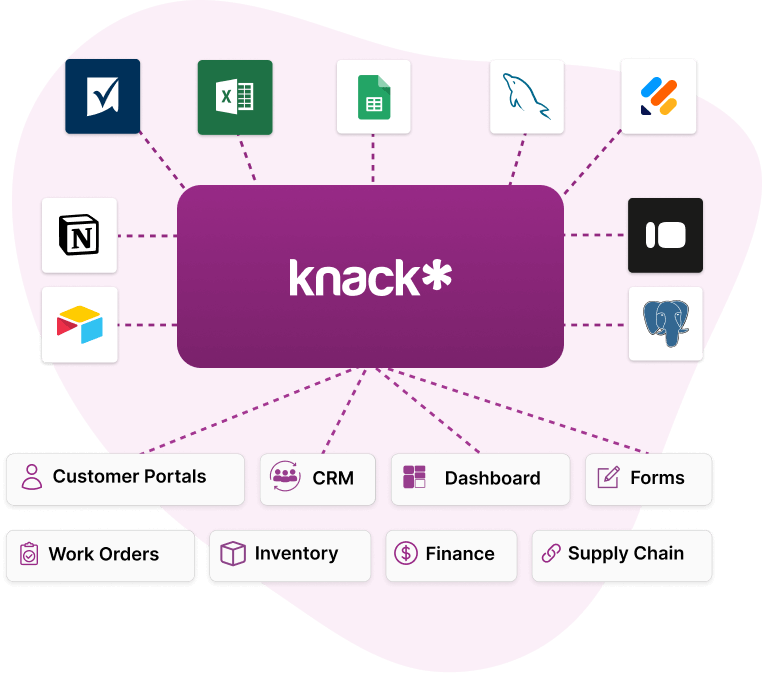
Data Sources into Knack Homepage

Free 14-Day Trial. No Credit Card Required

Build Apps Using Plain Language Prompts

Natural language understanding (NLU) enables users to describe what they want to build using plain text prompts—such as “create a customer database with contact info and purchase history”—and automatically generates the corresponding app structure and functionality. This makes app creation accessible to anyone, even without coding or design experience, by translating everyday language into data models, workflows, and interfaces. 

However, the quality of the results depends heavily on how clearly and specifically prompts are written; providing detailed instructions helps the AI interpret your goals accurately and produce outputs that align with your exact needs.

Interactive AI Assistants

Built-in AI helpers act as intelligent assistants within app builders, guiding users through each step of app creation by automating tasks, recommending performance optimizations, and improving overall workflows. These assistants simplify complex processes—like data structuring or workflow automation—making development faster and more intuitive. 

For instance, a healthcare clinic building a patient scheduling app could rely on an AI helper to suggest automated appointment reminders, detect overlapping bookings, and recommend better data organization for patient records, ensuring the final product is efficient and user-friendly without requiring advanced technical expertise.

Top 8 AI App Builders

When it comes to AI app-building solutions, there’s no shortage of options to choose from. To make your decision easier, we’ve rounded up the top eight platforms on the market—highlighting their pros, cons, and pricing—so you can confidently find the one that best fits your unique goals and workflow.

Knack

Knack is a powerful no-code application builder designed for creating database-driven web apps with ease. Featuring AI-assisted tools like its AI App Builder, Knack supports unlimited users, automation, integrations, and no-code logic—making it a flexible choice for businesses of all sizes.

Pros

  • Supports unlimited users and roles—great for scaling. 
  • Clear tiered pricing with record/storage limits and AI features built in. 
  • Strong data-centric features (tables, fields, workflows) and many integrations.

Cons

  • UI customization may be less flexible compared to pure visual builders.
  • Some workflows and logic may still require a learning curve.

Pricing Info

  • Starter: $59/month (new-customer offer $19/month)
  • Pro: $130/month (new-customer offer $49/month)
  • Corporate: Starting at $300/month
  • Enterprise: Contact for pricing

Bubble (bubble.io)

Bubble.io is a flexible no-code platform that enables users to build full-stack web applications, combining both front-end design and back-end logic in one place. Supported by a strong community and an extensive plugin ecosystem, Bubble empowers creators to develop powerful, scalable apps without writing any code.

Pros

  • Highly flexible; you can build complex logic, custom workflows, and APIs.
  • Vibrant community of users, forums, tutorials, and resources.
  • Mature ecosystem with templates and plugins.

Cons

  • Steeper learning curve than simpler drag-and-drop tools.
  • Costs can increase quickly with usage and published apps.

Pricing Info

  • Free plan available for testing
  • Starter: $59/month
  • Growth: $209/month
  • Team: $549/month
  • Enterprise: Contact for pricing

Softr

Softr serves as a no-code platform that transforms spreadsheet and back-office data sources like Airtable and Google Sheets into fully functional web apps and portals. With AI-powered blocks for summarization, chat, and automation, the platform makes it easy to create interactive, data-driven applications without coding.

Pros

  • Very easy for non-technical users to get started.
  • Good for internal tools, dashboards, and member portals.
  • Keeps back-office data synced and accessible in real time.

Cons

  • Less suited for full native mobile apps; focused on web/PWA.
  • Advanced features and user-scales cost more. 

Pricing Info

  • Free plan available
  • Basic: $49/month
  • Professional: $139/month
  • Business: $269/month
  • Enterprise: Contact for pricing

Adalo

Adalo is a no-code platform for building both mobile and web apps, offering drag-and-drop design, data collections, and logic flows to create fully functional applications without coding. It also features AI integrations, such as GPT-powered blocks, enabling smarter automation and enhanced app functionality.

Pros

  • Easy to build native mobile apps (iOS/Android) and web apps.
  • Good for MVPs and mobile-first projects.
  • Incorporate GPT-powered features for smarter apps.

Cons

  • Data/record limits in lower plans may require upgrades for scale.
  • Some advanced features require technical help or paid upgrades.

Pricing Info

  • Free plan available 
  • Starter: $45/month
  • Professional: $65/month
  • Team: $200/month
  • Business: $250/month

Glide

Glide acts as a no-code platform that allows users to quickly build web apps and mobile-style apps using data sources like Google Sheets, Excel, or Airtable. It also includes AI-driven layout suggestions, helping users create functional and visually appealing apps with minimal effort.

Pros

  • Fast to build simple apps; very accessible.
  • Great for internal tools or smaller data-driven apps.
  • Apps work on web and mobile devices.

Cons

  • Source code export may not be supported; less suited for large-scale or native mobile apps. 
  • Complex workflows and automation can be restrictive.

Pricing Info

  • Individuals:
    • Free plan available
    • Explorer: $19/month
    • Maker: $49/month
  • Business:
    • Free plan available 
    • Business: $199
    • Enterprise: Contact for pricing

AWS App Studio

AWS App Studio is a generative AI-powered service from Amazon that enables users to build secure applications visually with AI guidance. By combining intuitive drag-and-drop design with AI assistance, it simplifies app creation while maintaining robust security and best-practice standards.

Pros

  • Built on AWS infrastructure—strong for enterprise, security, and scalability.
  • Usage-based pricing can allow cost flexibility.
  • Easily supports growing applications and user bases.

Cons

  • Might require some familiarity with the AWS ecosystem; potentially more complex.
  • Fewer prebuilt integrations than some no-code platforms.

Pricing Info

  • Visual building environment is free to use
  • After publishing, users are billed ~$0.25/user-hour for published app usage

AppSteer

AppSteer serves as a low-code/no-code enterprise application builder that leverages AI to streamline process automation and manage modular app components. It enables organizations to quickly design, deploy, and optimize business applications with minimal coding.

Pros

  • Geared toward enterprise/process-driven apps, multiple modules and logins.
  • Industry‑specific templates and modules (e.g., retail audits, eKYC).
  • Transparent enterprise-level pricing in tiers.

Cons

  • Higher starting cost; likely overkill for small teams or simple apps.
  • May still require some learning curve for customization despite low‑code design.

Pricing Info

  • Eco: $999/month
  • Turbo: $1,999/month
  • Vision: $4,999/month
  • Infinity: Custom pricing

AppyPie

AppyPie is a no-code development platform that enables users to create mobile apps, websites, and chatbots quickly and easily. Designed with simplicity in mind, it empowers small businesses and entrepreneurs to build functional digital solutions without any coding experience.

Pros

  • Accessible for non-technical users and small businesses.
  • Includes built‑in integrations and features for e‑commerce and automation.
  • Broad suite of tools (website builder, app builder, chatbot builder) under one brand.

Cons

  • Customization and advanced logic/control may be more limited vs larger platforms.
  • Performance and scalability may suffer for more complex applications

Pricing Info

  • Basic: $16/month
  • Gold: $36/month
  • Platinum: $60/month
  • Enterprise: Contact for pricing

Benefits of Using an AI App Builder

AI app builders offer a wide range of benefits, including faster development, improved accessibility, and smarter decision-making through enhanced data insights. Beyond reducing costly development time, these advantages often outweigh the manageable upfront investment, delivering significant long-term value for businesses and individuals.

Faster Development and Deployment

By automating design and testing, AI app builders provide users with a ready-made foundation for rapid app creation that is both functional and reliable. Users can then build upon this base, tailoring features, layouts, and workflows to meet their specific needs. This approach accelerates iteration cycles and updates, making improvements faster and more efficient. 

A retail business, for example, could generate a customer loyalty app with pre-built interfaces and automated testing, then quickly customize it with seasonal promotions and personalized rewards—launching updates without the delays of traditional development.

Accessibility for Non-Technical Users

AI app builders also democratize app development by making it accessible to anyone, regardless of technical expertise. 

Features like drag-and-drop interfaces, natural language prompts, and automated workflows allow users with little to no coding experience to design and manage apps quickly and efficiently. This is especially ideal for small businesses and entrepreneurs, who can bring their ideas to life without hiring expensive developers or learning complex programming languages. 

By eliminating much of the manual work, these platforms not only save time but also reduce development costs, allowing organizations to invest resources in growth and innovation instead of traditional app development.

AI-Powered Insights for Smarter Decisions

Built-in AI analytics provide real-time insights that help users understand how their app is performing and how users are interacting with it. 

These tools can track metrics such as user behavior, engagement trends, and system performance, often offering more immediate and in-depth analysis than traditional analytics solutions. By delivering actionable data as it happens, AI analytics enable smarter business operations through data-driven apps, allowing teams to make timely adjustments and optimize processes. 

Without these robust insights, organizations risk making decisions based on incomplete information, leading to inefficiencies and a reduced ability to improve the app over time.

How to Choose the Best AI App Builder for Your Needs

There’s no one-size-fits-all solution when it comes to choosing the ideal AI app builder for your unique needs. First, you need to define your workflows, challenges, and intended use for the app, then select a platform that provides the features and functionalities best suited to support those requirements.

Identify Your App Goals

Before selecting an AI app builder, it’s essential to first look inward and assess exactly what you need the platform to accomplish. Here, you’ll need to determine whether your goal is to create a data-driven app, streamline internal workflows, or build a customer-facing solution, as each type of app comes with different requirements and capabilities. 

Clarifying this upfront is crucial because choosing a general-purpose platform that doesn’t align with your specific objectives can lead to frustration and a tool that ultimately doesn’t support the way you plan to use it.

Compare Core Features

Once you’ve clearly defined your requirements, the next step is to evaluate the key features each AI app builder offers. Consider factors like customization options, scalability to grow with your business, and integration capabilities with your existing tools, as these determine how well the platform can adapt to your needs over time. 

It’s also important to assess automation and AI-driven intelligence features—such as workflow automation, predictive analytics, and AI-assisted design or debugging. These capabilities are essential for saving time and enhancing the overall efficiency and effectiveness of your app.

Consider Ease of Use and Support

Robust user resources are essential to help you leverage the full potential of an AI app builder over time. 

Be sure to look for platforms that provide strong documentation, active community support, and ready-to-use templates to guide you through both basic and advanced features. Educational materials such as tutorials, webinars, step-by-step guides, and example projects can accelerate learning and help users troubleshoot independently, while a responsive customer service team ensures personalized assistance whenever challenges arise.

Why Knack Is a Top AI App Builder in 2026

No-code AI app builders empower users to create powerful, fully functional apps without coding, making app development more accessible than ever. To maximize the potential of these tools, align your intended use case—whether it’s an internal tool, customer-facing app, or data-intensive workflow—with the platform’s strengths to ensure the best fit for your needs.

Among the top options currently available to you, Knack stands out for a variety of reasons, including:

  • Intuitive No-Code Platform – Build powerful apps quickly using drag-and-drop functionality and guided AI suggestions.
  • Smart Data Management and Automation – Knack’s AI simplifies database setup, workflow automation, and app optimization.
  • Scalability for Any Business – Flexible enough to support startups, growing teams, and large enterprises alike.
  • Secure Cloud Hosting – Ensures your data is protected with enterprise-grade security.

Ready to see just how easy it is to build your own app with Knack’s AI-powered platform? Sign up for your free, no-risk trial today!

FAQs About AI App Builders

What is an AI app builder?

An AI app builder is a platform that uses artificial intelligence to automate parts of app creation, such as coding, design, and workflow setup — allowing users to build functional apps quickly without deep technical knowledge.

How do AI app builders differ from traditional app development?

Traditional development requires manual coding, while AI app builders use automation, visual editors, and natural language input to streamline the process and reduce complexity.

What are some of the top features of AI app builders?

Key features include natural language-driven creation, AI-assisted debugging, design-to-code conversion, and workflow automation — all aimed at speeding up development and improving accessibility.

Who can benefit from using an AI app builder?

These tools are ideal for entrepreneurs, small business owners, and organizations that need custom apps quickly, as well as developers looking to accelerate workflows.

How should I choose the best AI app builder for my needs?

Identify your app goals, compare available features and integrations, and look for a platform that balances ease of use, scalability, and reliable support.